
Student Resources
ROAR Class Schedule
The following is the class schedule for Fall 2026. To choose your audit classes, please contact the WSU ROAR Academic Coordinator, you can find more information on our WSU ROAR Staff page.
Year 1 Students
| Time | Monday | Tuesday | Wednesday | Thursday | Friday |
|---|---|---|---|---|---|
| 9:10am – 10:00am | Career Planning and Professional Development 1 CLEV 221 | Academic Support ROAR Lounge CLEV 223 | Career Planning and Professional Development 1 CLEV 221 | Academic Support ROAR Lounge CLEV 223 | WSU ROAR All Student Seminar EDAD 308 |
| 10:10am – 11:00am | Digital Literacy 1 EDAD 112 | Independent Living 1 EDAD 308 | Digital Literacy 1 EDAD 112 | Independent Living 1 EDAD 308 |
Year 2 Students
| Time | Monday | Tuesday | Wednesday | Thursday | Friday |
|---|---|---|---|---|---|
| 9:10am – 10:00am | Digital Literacy 3 EDAD 112 | Independent Living 3 EDAD 308 | Digital Literacy 3 EDAD 112 | Independent Living 3 EDAD 308 | WSU ROAR All Student Seminar EDAD 308 |
| 10:10am – 11:00am | Career Planning and Professional Development 3 CLEV 221 | Academic Support ROAR Lounge CLEV 223 | Career Planning and Professional Development 3 CLEV 221 | Academic Support ROAR Lounge CLEV 223 |
Audit Class Schedule
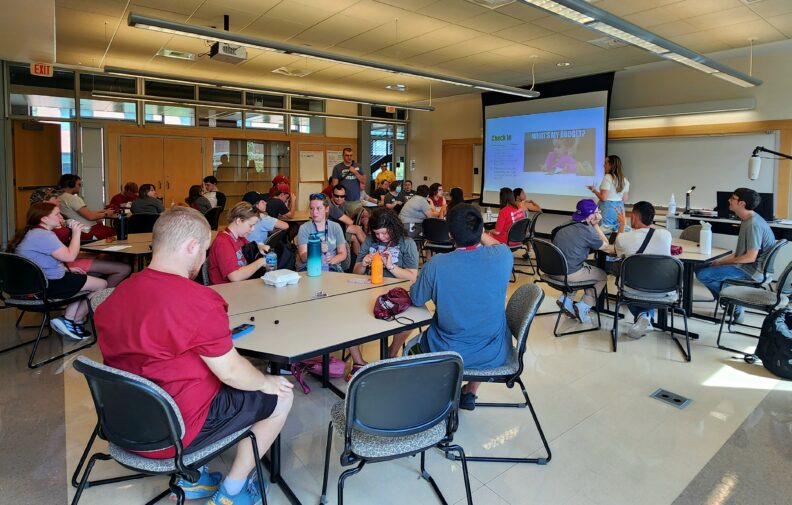
Each semester, you will audit two WSU courses based on your goals or interests. As you get ready to register, think about the kind of work you want to do in the future – or just something you’ve always wanted to learn! You can choose courses that support your career path, build academic skills, or are just plain fun.
Use the WSU Class Schedule to browse courses (be sure to choose the Pullman campus). Pay attention to:
- 100-level courses: Beginner-friendly, great for exploring new topics
- 200-level courses: A bit more advanced, the instructor usually assumes you’ve taken a related class before
- 300-level and higher: These are more advanced courses and often have prerequisites.
If a class looks interesting but you’re not sure if it’s a good fit, or if it has prerequisites, talk to the WSU ROAR Academic Coordinator to get approval before moving forward. You can find more information on our WSU ROAR Staff page.
You can also take classes with friends, if you’d like! What matters most is that your classes help you learn something meaningful, build confidence, and stay engaged.
Individualized Learning Plans
Each WSU ROAR student co-authors an Individualized Learning Plan, or ILP, with support from ROAR staff. The document outlines the student’s academic and personal goals, strengths, and support needs. It is primarily shared with the student, their academic coach, and ROAR staff to guide learning and track progress over time.
The ILP includes:
- Student Summary: A brief introduction to the student’s background, interests, and goals
- Long Term Goals: Information about dream careers and how your coursework in WSU ROAR will help you
- Accommodations and Modifications: Specific supports to promote success in your courses
- Measurable Learning Goals: Course-specific objectives and progress benchmarks aligned with your person-centered plan (PCP)
Accommodations refer to changes in how a student accesses class material (e.g. extra time on assessments, or the use of assistive technology in the classroom). Modifications involve a change in how a student demonstrates knowledge (e.g. simplified assignments or alternative formats).
Meet with your Academic Coach or the Academic Coordinator to write this document.

Bus Routes
Pullman Transit now offers a mobile app called PTBusBeacon that allows students to track the location of a bus on your route, plan your transit trip, and set route notifications. WSU ROAR staff offers support for new students
Questions About Your Dorm?
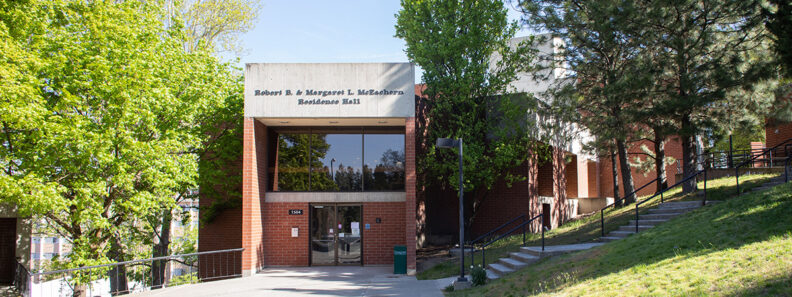
For housing questions, we encourage you to contact WSU Residence Life or reach out to our Assistive Living Advisors, who support students thoughtout the housing process. You can find more information on our WSU ROAR Staff page.
Crimson Service Desk
The Crimson Service Desk team is here to help with numerous tech questions. They offer one-on-one support through email, phone, and in-person checks. If you forget the password to your myWSU account, need help logging in, your laptop isn’t working, or you need to get onto campus Wi-Fi, contact them. A WSU ROAR staff member can support you if needed.
ThinkCollege Resources
Looking for more tools and tips about college programs like ROAR? ThinkCollege.net is a national resource hub for students with intellectual and developmental disabilities who are exploring inclusive higher education. Check out their Student Corner page for helpful guides, videos, and advice from other students navigating the college journey.